Shopify Age Verification: How to Add an Age Gate to Your Store
Shopify has no built-in age verification setting. How to add an age popup or an age checkbox before checkout, which confirmation method to pick, and where a popup stops and real ID checks begin.

Published 14 min read
On this page
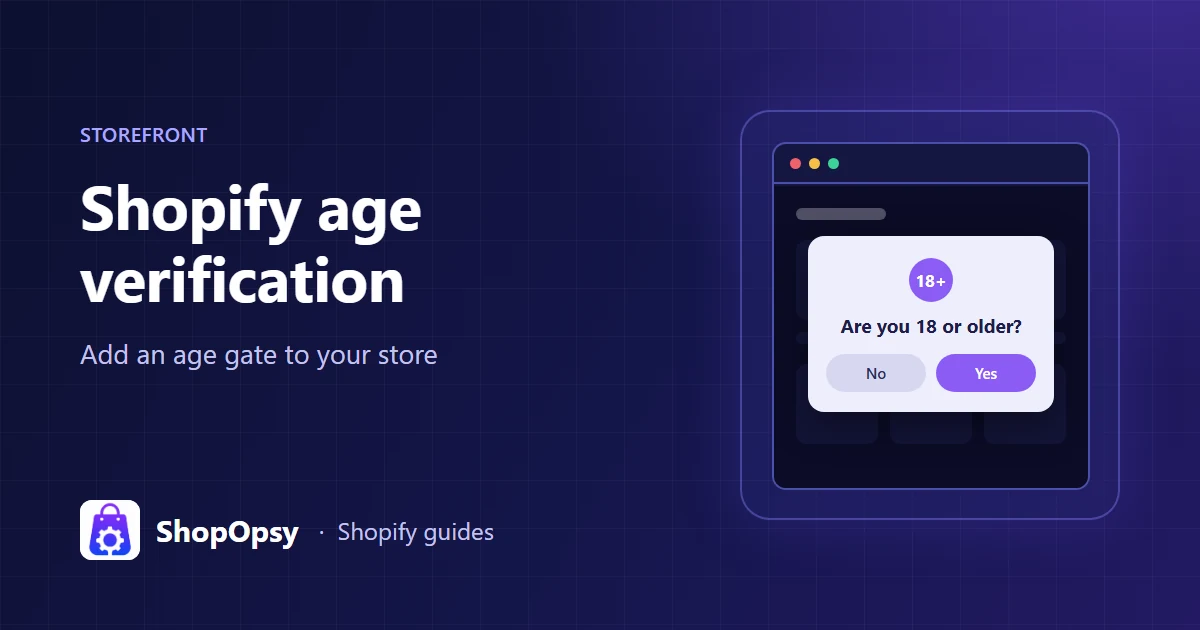
Shopify has no age verification setting in its admin. To add one, use a theme that includes an age verifier, add custom code to your theme, or install an age verification app that runs as a theme app embed, then switch it on in the theme editor under App embeds. On Shopify Plus you can also add an age confirmation block inside checkout. Most of these tools ask visitors to confirm their own age with a button, checkbox or date of birth. That is age confirmation, not ID verification: if the law where you sell requires a real age check, you need an ID or database verification service on top.
This guide was checked on 29 October 2026 against Shopify's Help Center and developer documentation, Google Search Central and the regulator guidance linked below. It is general information, not legal advice.
Does Shopify have built-in age verification?
No. Shopify admin has no age verification setting, the Help Center has no guide to one for the online store, and Shopify's free themes don't include one. The current code of Dawn and Horizon has announcement bar and password page sections, but no age gate. A Shopify Community reply on whether Dawn offers an age verifier points to custom code or an app instead.
Some paid themes include one: the Shopify Theme Store lets you filter themes by an Age verifier feature. Separately, Shopify's list of prohibited products on Shop excludes age-restricted products such as alcohol and tobacco from the Shop app's marketplace. That rule covers the Shop channel, not your own online store.
Age confirmation or age verification: know which one you need
The words are used loosely, but they describe two different things:
- Age confirmation (self-declaration). The visitor says how old they are: they click "Yes, I'm 18 or older", tick a box, pick an age range or type a date of birth. Nothing checks the answer. This is what almost every age popup does.
- Age or ID verification. A service checks the person against something they can't simply type: a government ID document, a database of official records, or an in-person ID check at delivery.
| Method | What the visitor does | What it proves | Typical tool |
|---|---|---|---|
| Yes/No buttons or one button | Clicks a button | Nothing beyond their statement | Age popup |
| Checkbox | Ticks "I confirm I am 18 or older" | Nothing beyond their statement | Age popup, cart or checkout checkbox |
| Age range | Picks "Under 18" or "18 or older" | Nothing beyond their statement | Age popup |
| Date of birth | Types a date, compared with your minimum age | Nothing beyond their statement, but it takes a deliberate answer | Age popup |
| Database or ID document check | Gives name, address and date of birth, or scans an ID | That the details match a record or document | ID verification service, often at checkout |
| ID at delivery | Shows photo ID to the courier | Age of the person receiving the parcel | Carrier's adult-signature service |
Regulators make the same distinction. In England and Wales, the government-backed Trading Standards guidance on online sales of age-restricted products lists relying on the purchaser confirming their age, asking simply for a date of birth, and tick boxes among checks unlikely to be enough for a due diligence defence. It says retailers should take positive steps to verify age and have checks at the point of delivery.
In the US, the PACT Act requires delivery sellers of cigarettes and smokeless tobacco to verify a buyer's name, date of birth and address against a commercially available database of mainly government records, and to ship with an adult signature and photo ID check at delivery. The Act's definition of "cigarette" includes electronic nicotine delivery systems, so this covers vapes too. The FDA's Tobacco 21 page sets the federal minimum age of sale for tobacco products, including e-cigarettes, at 21.
Those are two examples, not a full list. Alcohol, tobacco, vapes, CBD, knives and other products each have their own rules, and the rules change by country, state and product. Ask a qualified professional what applies to your store. An age popup is a useful first step and a clear signal to visitors, but on its own it is not proof of age.
Your options for adding an age gate on Shopify
| Option | Plan | Code needed | Good for | Watch out for |
|---|---|---|---|---|
| Theme with an age verifier | Any | No | Stores choosing a new theme anyway | Targeting options vary by theme; lost if you switch themes |
| Custom code in your theme | Any | Yes: Liquid, JavaScript, CSS | Developers who want full control | You maintain accessibility, cookies and theme updates yourself |
| Age popup app (theme app embed) | Any theme with app embeds | No | Most stores | Self-declaration only, like the options above |
| Age checkbox on the cart page | Any | No, with an app | A second confirmation right before checkout | A theme script can't reach every checkout button |
| Checkout UI extension | Shopify Plus | No, with an app | An age checkbox inside checkout | Information, shipping and payment steps are Plus-only |
| ID or database verification service | Varies by provider | No, with an app | Products where the law requires a real age check | Cost per check, friction at checkout, data handling |
A theme feature or custom code
If your theme has an age verifier, check whether it can target some collections only and how long it remembers the answer. A developer can also add a popup to theme.liquid. Shopify's guide to editing theme code recommends duplicating your theme first and warns that code edits can be lost when a theme update conflicts with them. Either way, the gate lives in that theme and won't follow you to a new one.
An app that runs as a theme app embed
Most age verification apps add their popup through a theme app extension. Shopify's theme app extensions documentation says merchants don't need to edit theme code to use them. You turn the popup on in the theme editor: Shopify's page on extending your theme with apps says to open the App embeds icon in the sidebar, switch the embed on and save. The same page notes that apps won't be active by default after you switch to a new theme, so turn the embed on again.
Inside checkout (Shopify Plus)
Shopify's page on customizing checkout with apps says apps that customize the information, shipping and payment pages are available only on Shopify Plus. On Plus, an app can add an age checkbox block to checkout in the checkout editor. For that block to stop a buyer who hasn't ticked it, select the block in the checkout editor and turn on Allow app to block checkout in the Checkout behavior section of the sidebar. If you don't, Shopify's checkout capabilities documentation says the block's "block" behavior is treated as "allow" and checkout continues.
For developers: Shopify deprecated that blocking capability from API version 2026-07. Existing extensions keep working, and Shopify points new business rules to cart and checkout validation Functions, which its changelog says apply across checkout surfaces, including express wallets.
Which confirmation method should you use?
All five common methods are self-declarations, so pick by friction and by how deliberate you want the answer to be:
- Yes/No buttons. The most familiar pattern. Write the age into the question ("Are you 18 or older?") rather than "Are you of legal age?", which leaves visitors guessing.
- One button. A single "I'm 18 or older" button. Simple, but under-age visitors have no clear way to say so.
- Checkbox. The visitor ticks a statement, which reads more like an agreement than a button does.
- Age range. Choices such as "Under 18" and "18 or older", without asking for an exact age.
- Date of birth. The slowest, and it asks for personal data, so compare the date in the browser and don't store it. It is still the visitor's own statement, not a verified age.
Whichever you choose, tell visitors who answer no what happens next, with a short message or a page to go to.
Where to show the age gate
You don't always need a popup on every page. Common setups:
- The whole store. For stores where everything is age-restricted, such as a wine merchant or a vape shop.
- Some collections, products or tags. For a general store with an age-restricted range, such as a deli with a spirits collection. Tag-based rules are handy because new products inherit them.
- Different ages for different products. A store might ask 18 for wine and 21 for spirits or vapes. When two rules apply to the same page, the higher age should win.
- Different ages by country. The minimum age for the same product can differ between countries. The US federal minimum age for tobacco and vapes is 21, so a vape store selling to the US and elsewhere may need 21 for US visitors and another age for the rest. If you sell internationally with Shopify Markets, look for country rules in your age gate, or a way to show it only to visitors from listed countries.
How to add an age checkbox before checkout
A popup at the door is easy to click through. A second confirmation close to the purchase reminds buyers what they agreed to and gives you a record on the order. Three places are common:
- Before Add to cart on age-restricted products. A checkbox above the Add to cart button that must be ticked first.
- On the cart page, above the checkout button. This works on any plan, because the cart page is part of your theme. Shopify's cart template documentation describes cart attributes, extra fields captured with the cart. An attribute such as "Age confirmed: Yes" is carried to the order, and Shopify's Cart API reference notes that even hidden attributes are visible on the order details page in the Shopify admin.
- Inside checkout. On Shopify Plus, through a checkout UI extension, as above.
Know the limits of a cart-page checkbox. It is a theme script, so it can't reach express checkout buttons rendered inside iframes or a direct link to checkout. If you need a rule that holds on every checkout surface, that is what validation Functions or a checkout ID service are for.
How long should the answer be remembered?
Age gates save the answer in a cookie or the browser's storage so visitors aren't asked on every page. Common choices are a set number of days, often 30, or until the browser closes, which makes a shared computer ask again sooner. If one collection asks 21 and the rest of the store 18, the cookie should hold the age confirmed, not just "yes", so the 21+ collection asks again.
Keep the cookie to what the gate needs: no date of birth, no identifier. List it in your cookie policy like any other cookie; our Shopify cookie policy guide shows how to group cookies by purpose.
Accessibility checks for an age popup
An age popup is a modal dialog: it covers the store until the visitor answers. The W3C's modal dialog pattern sets the baseline:
- Focus moves into the popup when it opens, and Tab and Shift+Tab stay inside it until the visitor answers.
- Focus returns to where it was on the page when the popup closes.
- The popup is a labelled dialog:
role="dialog",aria-modal="true"and a visible title thataria-labelledbypoints to, so screen readers announce what is being asked. - Buttons are real buttons, reachable by keyboard, with visible focus styles.
Shopify's accessibility guidance for themes asks for body and button text with a contrast ratio of at least 4.5:1, and a clear indicator on every element with keyboard focus. Template backgrounds and dark overlays are where contrast usually fails, so check the popup's text against its actual background. For a date of birth field, label it and show the expected format, and announce errors such as "Please enter a valid date" rather than only turning the field red. Respect the visitor's reduced motion setting for any opening animation.
Does an age popup hurt SEO?
Not when it's set up as an overlay. Google's guidance on intrusive interstitials and dialogs uses an age gate as its example of a mandatory interstitial, and says mandatory interstitials are exempt from that guidance. Three points still matter:
- Keep the content in the page. Google's JavaScript SEO basics says content that isn't in the rendered HTML can't be indexed. A popup drawn over the page leaves the product HTML in place; a gate that redirects to a separate page, or loads products only after a click, is riskier.
- Crawler access for adult content. Google's guidelines for sites with explicit content ask sites with content behind an age gate to let Googlebot crawl without triggering it, by verifying Googlebot requests. On Shopify you don't run the server, so that check isn't something a theme or app script can easily do; an overlay at least keeps the content in the page.
- Check it. Use the URL Inspection tool's live test in Google Search Console on a gated product page and confirm the rendered HTML contains your product title and description.
A gate also adds a script to every page it runs on. Our Shopify speed optimization checklist covers how to check what apps load.
Adding an age popup with Doorcheck
ShopOpsy makes a free age popup app, Doorcheck: Age Verification, for stores that sell alcohol, vape, tobacco, CBD or other age-restricted products. Its App Store listing is pending. Like the other popups described here, it asks visitors to confirm their own age: it doesn't check IDs or verify identity, and it doesn't make a store compliant with any law. What it does:
- Five methods: Yes/No, one button, checkbox, age range or date of birth. A date of birth or age range is checked in the visitor's browser and never sent to the app or stored.
- Design: templates with background art, a center popup, a top or bottom bar or a side panel, plus your logo, colors, fonts and custom CSS.
- Targeting: every page, or chosen collections, products, tags or pages; countries, each with its own minimum age, or only listed countries; desktop, mobile or both. More popups can ask their own age, such as 21 on a spirits collection while the store asks 18, and the highest age wins.
- Timing and preview: open at once, after a delay or on scroll, and preview the popup on your store without the answers being remembered or counted.
- Cart and checkout: an age checkbox on the cart page and before Add to cart, optionally saved on the order as the cart attribute "Age confirmed"; an "Age notice" (18+) block for product pages; and an "Age confirmation" checkout block on Shopify Plus.
- Languages and statistics: popup text translatable into your store's languages, and daily totals of popups shown, passed and refused.
- Privacy and accessibility: one first-party cookie that holds only the confirmed age, no customer data stored by the app, keyboard focus kept in the popup and its title announced to screen readers.
It runs as a theme app embed, so no theme code is edited. Every feature is free; an optional one-time $9.99 removes a small 24 × 24 ShopOpsy icon from the popup. The Doorcheck page has the setup steps, pricing and an FAQ.
How to test your age gate
- Open a private window, since the answer is saved in your usual browser.
- Check targeting. The popup should appear on a restricted product and not on, say, your contact page.
- Answer no, and check the message or the page you're sent to.
- Answer yes, then browse. The popup shouldn't return on the next page or after a reload.
- Test a higher age. Confirm 18, then open a 21+ collection: it should ask again.
- Test country rules with a VPN or the country selector.
- Use only the keyboard to answer, and check where focus lands.
- Test on a phone, with your cookie banner showing too; our Shopify cookie banner guide covers the consent side.
- Place a test order with a restricted product and check that the age confirmation appears on the order in admin.
Frequently asked questions
Is an age popup enough to sell alcohol or vapes online?
Often not on its own. US federal law requires a database check and an adult signature with photo ID at delivery for online sales of cigarettes, smokeless tobacco and vapes, and Trading Standards guidance in England and Wales says tick boxes and self-declared dates of birth are unlikely to be enough. Check the rules for each product and country you sell to, and add an ID check or age-verified delivery where they require one.
Can visitors get around an age popup?
Yes. Anyone can click "Yes", and a visitor can block the script. That is why products with legal age requirements usually need checks at checkout or delivery too.
Should the age popup and the cookie banner show at the same time?
They can, but two overlays on a first visit is a lot on a phone. Ask for age first, keep both short, and make sure each one can be answered with the keyboard. If your shipping policy needs to mention adult signatures, our Shopify shipping policy template has a place for it.
Sources
- Prohibited products on Shop — Shopify Help Center, accessed 29 October 2026.
- Extend your theme with apps — Shopify Help Center, accessed 29 October 2026.
- Editing theme code — Shopify Help Center, accessed 29 October 2026.
- Customizing your checkout and customer accounts with apps — Shopify Help Center, accessed 29 October 2026.
- Accessibility for themes — Shopify Help Center, accessed 29 October 2026.
- Theme app extensions — Shopify developer documentation, accessed 29 October 2026.
- Enable extension capabilities for checkout — Shopify developer documentation, accessed 29 October 2026.
- Deprecating the useBuyerJourneyIntercept API on checkout UI extensions — Shopify developer changelog, 2 July 2026, accessed 29 October 2026.
- About cart and checkout validation — Shopify developer documentation, accessed 29 October 2026.
- Cart template and Cart API reference — Shopify developer documentation, accessed 29 October 2026.
- Dawn sections and Horizon sections — Shopify, theme code on GitHub, accessed 29 October 2026.
- Shopify Theme Store — Shopify, accessed 29 October 2026.
- Avoid intrusive interstitials and dialogs — Google Search Central, accessed 29 October 2026.
- Guidelines for sites with explicit content — Google Search Central, accessed 29 October 2026.
- Understand the JavaScript SEO basics — Google Search Central, accessed 29 October 2026.
- Dialog (Modal) Pattern — W3C WAI ARIA Authoring Practices Guide, accessed 29 October 2026.
- Online sales of age-restricted products — Business Companion (Chartered Trading Standards Institute), guidance for England and Wales, accessed 29 October 2026.
- 15 U.S. Code § 376a, Delivery sales and § 375, Definitions — Legal Information Institute, Cornell Law School, accessed 29 October 2026.
- Tobacco 21 — US Food and Drug Administration, accessed 29 October 2026.