Shopify Customer Privacy API: How Consent Works for Merchants
What Shopify’s Customer Privacy API records, the four consent purposes it tracks, how banners write consent, how Shopify, pixels and apps read it, and how to check and fix it.

Published 14 min read
On this page
The Shopify Customer Privacy API is a browser JavaScript API, available as window.Shopify.customerPrivacy, that holds each visitor's consent for four purposes: analytics, marketing, preferences and sale of data. A cookie banner writes the visitor's choice to it with setTrackingConsent(). Shopify then applies that choice to the surfaces it manages, such as pixels, audiences and checkout. Other scripts, such as theme code and app embeds, follow it only if their code checks the API. In regions where you require consent, non-essential purposes stay off until the visitor agrees; everywhere else, Shopify allows them by default.
This guide is general information based on Shopify's documentation, checked on 26 October 2026. It is not legal advice.
What is the Shopify Customer Privacy API?
Think of the Customer Privacy API as your store's shared record of what each visitor agreed to. It is not a banner and it doesn't block anything by itself. It answers one question for any code that asks: "may I process this visitor's data for this purpose?"
Three kinds of code talk to it:
- Banners write to it. Shopify's own cookie banner passes every choice to the API automatically. A consent app has to call the API itself.
- Shopify reads it. Shopify uses the stored choice for the surfaces it manages, including web pixels, audiences and checkout.
- Apps and scripts can read it. An app embed, a theme script or a custom pixel can check the API before loading a tracker. Nothing forces a script in your theme code to check, which is why some trackers ignore consent.
On Online Store pages, code loads the API with window.Shopify.loadFeatures, using the feature name consent-tracking-api and version 0.2. Only after that load is the API available at window.Shopify.customerPrivacy. Shopify's /docs/api/consent-tracking URL shows the same reference, so "consent tracking API", "Shopify consent API" and "Customer Privacy API" all point to the same thing in this guide.
Checkout UI extensions and customer account extensions have their own versions of the API, covered in the section on checkout and headless stores below.
Which consent purposes does the API track?
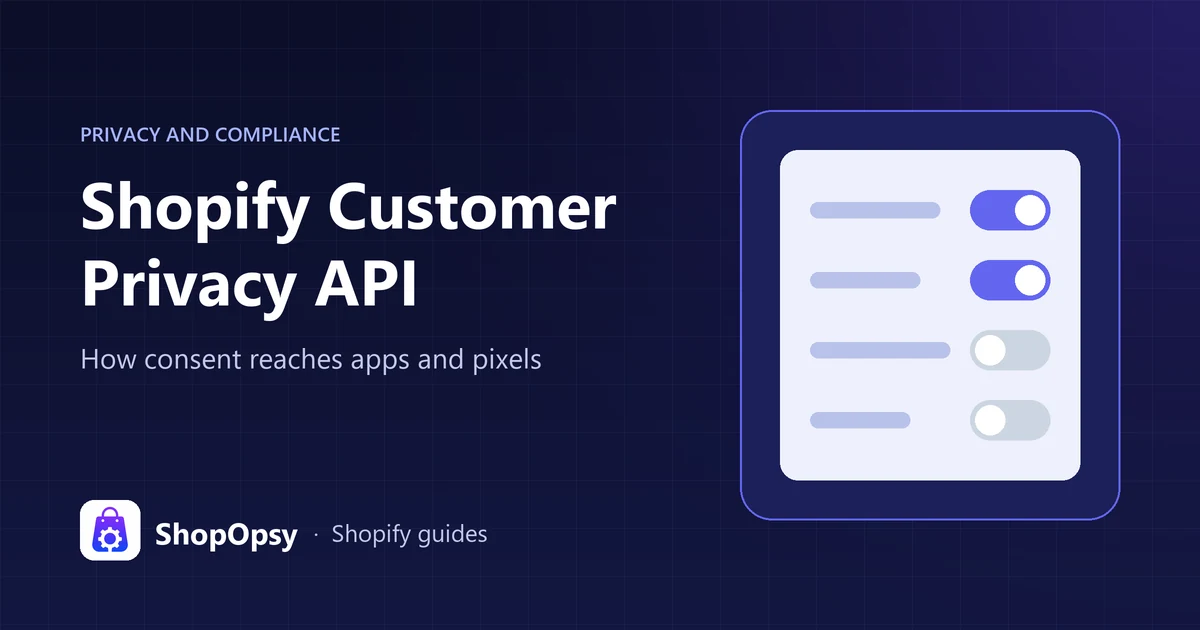
The API tracks four purposes. Each has a method that returns true or false, and each has a field in the visitor's recorded choice.
| Purpose | What Shopify says it covers | Check with | Recorded as |
|---|---|---|---|
| Preferences | Choices such as language, currency or size | preferencesProcessingAllowed() | preferences |
| Analytics | How the storefront is used | analyticsProcessingAllowed() | analytics |
| Marketing | Marketing, attribution and targeted advertising | marketingAllowed() | marketing |
| Sale of data | Sharing data with third parties, usually for behavioral advertising | saleOfDataAllowed() | sale_of_data |
There is no "necessary" purpose to set. The API lists only these four, and Shopify describes them as the non-essential purposes that stay off until consent in regions where you require it.
The names change slightly between surfaces, which trips up developers:
- The
visitorConsentCollectedbrowser event reportsanalyticsAllowed,marketingAllowed,preferencesAllowedandsaleOfDataAllowed. - Web pixels receive
analyticsProcessingAllowed,marketingAllowed,preferencesProcessingAllowedandsaleOfDataAllowed. - Checkout UI extensions use
analytics,marketing,preferencesandsaleOfData.
"Allowed" is not the same as "consented"
This distinction explains many confusing test results. The four ...Allowed() methods combine three things: your settings in Shopify admin, the visitor's location and the consent they recorded. By contrast, currentVisitorConsent() returns only what the visitor recorded, as 'yes', 'no' or '' (no decision yet) for each purpose.
So a visitor outside your consent regions who never touched a banner gets marketingAllowed() = true and an empty marketing value. Code that decides whether to load a tracker should use the ...Allowed() methods. Shopify's checkout extension docs say the same: check the allowed-processing flag, not the raw consent value.
How does a cookie banner set consent?
Shopify documents this flow for a banner built on the API. Shopify's own banner handles it for you; a consent app has to follow it:
- The banner loads the API and calls
shouldShowBanner(). It returnstruewhen the visitor has no recorded consent and is in a region where you show a banner. - The visitor makes a choice. Shopify's rule is to record consent only in response to a visitor interaction, never automatically.
- The banner calls
setTrackingConsent()withtrueorfalseforanalytics,marketingandpreferences. One call can set one purpose or several. - The API fires
visitorConsentCollectedon the page, so code that is waiting can load or stay off. The event fires when consent changes, not when a listener is added. - Visitors can change their mind. With Shopify's banner, customers can reopen their choices from Cookie preferences in your store's footer menu. Shopify's API reference also shows a
privacyBanner.showPreferences()call for opening the banner's preferences panel from your own link. A consent app provides its own way to reopen it.
A banner's call looks like this:
window.Shopify.customerPrivacy.setTrackingConsent(
  { analytics: true, marketing: false, preferences: true },
  () => console.log('Consent captured'),
)
Banners can also store small custom values with a consent record, through a metafields array: keys of up to 25 characters, values of up to 100, and less than 250 characters in total.
How is sale of data different?
Sale of data is an opt-out, not an opt-in. Shopify's docs say the opt-out should start with the customer, for example from the data sharing opt-out page you can turn on in Settings > Customer privacy, rather than in a flow that activates on page load. Code records it with setTrackingConsent({ sale_of_data: false }), and Shopify enforces it separately from the other three purposes.
Shopify also treats the Global Privacy Control signal as an opt-out in regions where you use the opt-out page. The API reference adds that the signal is honored automatically and can't be changed with setTrackingConsent().
What changes if you use a consent app?
With Shopify's built-in banner, the choice reaches the API with no extra work. With a consent app, the app must call the API, and Shopify's privacy settings guide says Shopify respects consent choices in Shopify Network Intelligence when a third-party tool is properly integrated with the API. You also need to remove Shopify's banner and set the same consent regions in Shopify admin as in the app. Our Shopify cookie banner guide walks through those steps and when each option fits.
How do Shopify, pixels and apps read consent?
The API only protects visitors if the code that collects data reads it. Who does that depends on where the code runs.
| Where the code runs | How it follows consent | What you control |
|---|---|---|
| Shopify-managed surfaces | Automatically, from the API | Your banner and regions |
| App pixels in Customer events | Pixel manager loads them only with the permissions they declare | Which pixel apps you install |
| Custom pixels in Customer events | Pixel manager, based on each pixel's Permission setting | The pixel's settings and code |
| Theme code and app embeds | Only if the script checks the API | The script, or moving it into a pixel |
| Checkout and account extensions | Through their own customer privacy API | Which extensions you install |
| Headless storefronts | Through your own setup | Your developer's consent integration |
Shopify's own data collection
The API applies consent to Shopify-managed surfaces, and Shopify's privacy settings overview says that in regions with an active cookie banner, data is collected only after consent. Expect lower session counts in those regions. Our GA4 conversion tracking checklist helps you separate that consent effect from broken tracking.
Web pixels
Pixels added in Settings > Customer events run in Shopify's sandbox, and the pixel manager reads consent for them. Shopify's pixels overview says that in markets that require consent, pixels run only when visitors have given the permissions in the pixel's configuration, and new pixels require Marketing and Analytics permissions by default. Pixels set up for data sale don't run for customers who opted out of data sales or sharing, unless the pixel supports limited data use.
App pixels declare the permissions they need in their configuration, and Shopify's pixel privacy docs say the pixel loads only if the visitor has given every permission it declares as required. Custom pixels have a Permission setting in their Customer privacy settings.
Pixel code shouldn't rely on window.Shopify.customerPrivacy, which lives on the storefront page. Shopify's pixel developer guide says custom pixels run in a sandboxed iframe that can't access the top frame, and app pixels run in a stricter sandbox that guarantees only a short list of globals. Inside a pixel, the customerPrivacy standard API gives the starting state in init.customerPrivacy, and api.customerPrivacy.subscribe('visitorConsentCollected', …) reports changes. Our guide to Shopify customer events covers each pixel privacy setting and shows a full example.
Theme code and app scripts
Unlike pixels, scripts pasted into theme.liquid or loaded by an app embed run directly on the page. Shopify's privacy settings guide notes that trackers added manually or through apps may need a consent app or custom logic to honor consent. These scripts respect consent only if they ask the API first and then wait for a change:
let started = false

function startTracker() {
  if (started) return
  started = true
  // Load your marketing script here.
}

window.Shopify.loadFeatures(
  [{ name: 'consent-tracking-api', version: '0.2' }],
  (error) => {
    if (error) return
    if (window.Shopify.customerPrivacy.marketingAllowed()) startTracker()
  },
)

document.addEventListener('visitorConsentCollected', (event) => {
  if (event.detail.marketingAllowed) startTracker()
})
Two rules from Shopify's docs apply to any script like this. First, use the API and never read or change Shopify's cookies directly, because that code can break when Shopify releases new versions. Shopify stopped setting the _shopify_y and _shopify_s cookies from 1 January 2026, so older scripts that read them need updating. Second, only a visitor's action should record consent.
Checkout, customer accounts and headless stores
- Checkout UI extensions get a
shopify.customerPrivacyobject and readvisitorConsent, the combinedallowedProcessingflags,shouldShowBanner,regionandsaleOfDataRegion. An extension that changes consent withapplyTrackingConsentChangeneeds a customer privacy capability turned on in its configuration. - Customer account extensions gained the API and a footer target for banner extensions in May 2025. They can use it on account pages, including the order status page, when customer accounts run on a custom domain.
- Headless storefronts pass extra values to
setTrackingConsent():headlessStorefront,checkoutRootDomain,storefrontRootDomainandstorefrontAccessToken. Shopify recommends Hydrogen's built-in analytics and consent instead, so consent persists and checkout honors it. The Hydrogen April 2026 release made backend consent mode the default, replacing the legacy_tracking_consentJavaScript cookie, so older Hydrogen consent code may need an upgrade.
Where is consent required, and what happens by default?
You decide where consent is required. In Settings > Customer privacy > Cookie banner, the regions you choose are the API's banner regions. With Use automated settings on, Shopify's privacy settings guide says the banner is set up for the UK and EEA when you have active markets there. To choose other regions, turn automated settings off and edit the region list. A May 2025 update lets you set consent and opt-out separately for individual Canadian provinces.
Opt-out regions for sale of data are separate. Shopify's docs say they are usually US states, and saleOfDataRegion() tells code whether the visitor is in one.
Based on how Shopify defines each method, here is what code should see in each situation:
| Visitor | ...Allowed() methods | currentVisitorConsent() |
|---|---|---|
| In a consent region, no choice yet | false for analytics, marketing and preferences | '' for each |
| In a consent region, accepted all | true | 'yes' |
| In a consent region, rejected all | false | 'no' |
| Outside your consent regions, no choice | true for every purpose | '' for each |
| Opted out of data sale | saleOfDataAllowed() = false | Gate on saleOfDataAllowed(), not this value |
The consent-region rows cover analytics, marketing and preferences. Sale of data follows its own opt-out rules, described above.
getRegion() returns the visitor's location as an ISO 3166-2 code, such as GBENG or USCA, or an empty string if Shopify can't determine it.
Keep your regions consistent. Shopify warns that if the regions in a consent app and in Shopify admin don't match, non-essential data can be processed before a visitor consents. Which regions you need is a legal question for your business; our guide to Shopify GDPR compliance covers what Shopify handles and what stays with you.
How do you check window.Shopify.customerPrivacy in the browser console?
You can see exactly what the API holds for your own visit:
- Open your online store, not the admin or theme editor, in a private window.
- Open developer tools and go to the Console tab.
- Paste this and press Enter:
window.Shopify.loadFeatures(
  [{ name: 'consent-tracking-api', version: '0.2' }],
  (error) => {
    if (error) return console.error(error)
    const cp = window.Shopify.customerPrivacy
    console.table({
      region: cp.getRegion(),
      shouldShowBanner: cp.shouldShowBanner(),
      saleOfDataRegion: cp.saleOfDataRegion(),
      analytics: cp.analyticsProcessingAllowed(),
      marketing: cp.marketingAllowed(),
      preferences: cp.preferencesProcessingAllowed(),
      saleOfData: cp.saleOfDataAllowed(),
    })
    console.log('Recorded choice:', cp.currentVisitorConsent())
    console.log('Consent ID:', cp.consentId())
  },
)- To watch a choice arrive, paste this listener, then click a button in your banner:
document.addEventListener('visitorConsentCollected', (event) => {
  console.log('Consent changed:', event.detail)
})
Read the result against the table in the previous section. If region is outside your banner regions, analytics, marketing and preferences show true and the banner won't appear, which is correct. Test from inside a consent region, using a VPN location or by temporarily adding your own country to the banner regions.
For custom pixels, Shopify's pixel testing guide adds a check: open the pixel in Settings > Customer events and click Test. Pixel is awaiting consent before you accept is expected. Accepting on the banner, or clicking Give consent to continue test, should let it load.
Why isn't consent working? Common problems and fixes
| What you see | Likely cause | What to do |
|---|---|---|
window.Shopify.customerPrivacy is undefined | The API isn't loaded yet, or the code runs inside a pixel | Load it with loadFeatures first; in a pixel, use init.customerPrivacy |
| Visitor accepts, but pixels never fire | Consent app doesn't write to the API | Check currentVisitorConsent() after accepting; ask the app developer |
| Trackers fire before any choice | Script in theme code or an app that ignores the API | Move it into a custom pixel, or gate it as shown above |
| Trackers fire early in some countries | Regions differ between the app and Shopify admin | Select the same regions in both |
Everything shows true without a click | You're outside your consent regions | Check getRegion(); test from inside a region |
Rejected, but values show 'yes' | Possibly another banner or script also writing consent | Run one banner; Shopify says to record consent only on a visitor's action |
| Pixel stays off after analytics-only consent | The pixel also requires marketing, the default for new pixels | Review the pixel's Permission setting |
| Data-sale pixel skips some US visitors | They opted out, or sent Global Privacy Control | Expected behavior |
| Old script broke in 2026 | It read _shopify_y or _shopify_s | Use a web pixel's clientId instead of _shopify_y; _shopify_s has no direct replacement |
| Sessions dropped after the banner went live | In banner regions, data is collected only after consent | Expected; rule out broken tracking separately |
The console check tells you which side is broken. If currentVisitorConsent() shows the right values but a tracker still loads before consent, the API is fine and the tracker isn't asking it, so find where that script loads. If the values stay '' after a click, the banner isn't calling setTrackingConsent(), and Shopify's pixel testing guide says pixels may then not fire even after the visitor consents.
How does the Customer Privacy API relate to Google Consent Mode?
They are two separate systems, and something has to connect them. The Customer Privacy API is Shopify's record of the visitor's choice. Google Consent Mode is how Google tags learn that choice, through signals such as analytics_storage, ad_storage, ad_user_data and ad_personalization.
- Google & YouTube app. Google's guide to setting up Shopify to obtain user consent says to use a consent tool that integrates with Shopify's Customer Privacy API. With the app handling conversion tracking, consent mode should then work automatically. With Shopify's own banner, Google says it's enabled once the banner is on.
- Custom web pixels. Shopify's privacy settings overview says a custom web pixel needs a code snippet to activate Consent Mode v2, and that EEA event data won't be used for personalized advertising without it and valid consent.
- Tags in theme code. Google's consent mode setup guide says to set the default consent state before any tag sends measurement data, then update it when the visitor chooses. A consent app or your own code has to do both.
Which Shopify purpose drives which Google signal depends on the tool that sends them, so check what your setup sends. In Cookify's Consent Mode integration (Advanced plan), for example, analytics controls analytics_storage, marketing controls the three ad signals, and preferences controls functionality_storage and personalization_storage. Our Google Consent Mode v2 guide for Shopify covers setup and testing in Tag Assistant.
Where does Cookify fit?
Cookify, ShopOpsy's cookie consent app, passes every choice to the Customer Privacy API, so Shopify and apps that respect it follow the same decision. It holds supported trackers, such as Google tags, Meta Pixel, TikTok Pixel and Klaviyo, until the visitor allows that category. The Free plan includes the API connection; Google Consent Mode v2, country-based visibility and consent logs are on Advanced. It doesn't hold script tags written directly into theme code, so load those through Google Tag Manager or Customer events. Cookify's Shopify App Store listing is coming soon.
Your banner should match your written policies too. Our guides to the Shopify privacy policy and Shopify cookie policy cover how to write those pages.
Frequently asked questions
Do I need a developer to use the Customer Privacy API?
Usually not. If you use Shopify's banner or a consent app that writes to the API, and your trackers run as pixels in Settings > Customer events, Shopify handles the API for you. You need code only for scripts in your theme, custom pixels that read consent, or a headless storefront.
Does the Customer Privacy API make my store GDPR compliant?
No tool does that alone. The API records and shares consent, but compliance also depends on your regions, your banner's wording, the trackers you load and your policies. Regulators such as the UK ICO also expect you to be able to show consent was given and to make withdrawing it as easy as giving it. Ask a qualified professional about your store.
Can I see what a specific visitor consented to?
With Shopify's cookie banner, Shopify's May 2025 changelog says merchants can access an audit log of consent preferences given in the past 30 days. The consentId() method, logged by the console check above, returns the visitor's consent ID, which Shopify's API reference says can be used to check their history in that audit log. A consent app may keep its own records, so check what yours stores and for how long.
Sources
- Customer Privacy API — Shopify developer documentation, accessed 26 October 2026.
- About web pixels — Shopify developer documentation, accessed 26 October 2026.
- Pixel privacy — Shopify developer documentation, accessed 26 October 2026.
- customerPrivacy (Web Pixels API) — Shopify developer documentation, accessed 26 October 2026.
- Customer Privacy API for checkout UI extensions — Shopify developer documentation, accessed 26 October 2026.
- CustomerPrivacy API and footer extension target now available for customer account extensions — Shopify developer changelog, accessed 26 October 2026.
- Hydrogen April 2026 release — Shopify developer changelog, accessed 26 October 2026.
_shopify_yand_shopify_scookies will no longer be set — Shopify developer changelog, accessed 26 October 2026.- Configuring customer privacy settings — Shopify Help Center, accessed 26 October 2026.
- Understanding customer privacy settings — Shopify Help Center, accessed 26 October 2026.
- Pixels overview — Shopify Help Center, accessed 26 October 2026.
- Managing custom pixels — Shopify Help Center, accessed 26 October 2026.
- Testing custom pixels — Shopify Help Center, accessed 26 October 2026.
- New privacy features for compliance and transparency — Shopify Changelog, accessed 26 October 2026.
- Set up Shopify to obtain user consent — Google Ads Help, accessed 26 October 2026.
- Set up consent mode on websites — Google for Developers, accessed 26 October 2026.
- How do we manage consent in practice? — Information Commissioner's Office, accessed 26 October 2026.